
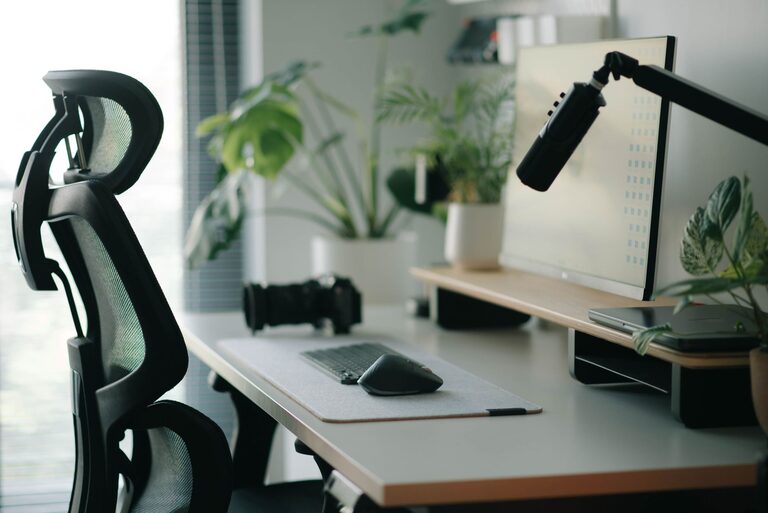
Working from home can be comfortable and productive when your workspace is designed around your daily needs. A well-planned home office does not have to be expensive or large. With the right furniture, lighting, technology, and organization, you can create a space that helps you focus while still feeling inviting.
Whether you are setting up a permanent office or making a small corner work, the following steps can help you build a practical home office for remote work.
Choose the Right Location
Start by deciding where your home office will be located. If you have a separate room, it may be easier to create a quiet work environment. However, a dedicated office is not required. A dining area, bedroom corner, hallway nook, or part of a living room can also work well.
Look for a location with:
– Enough space for a desk and chair
– Reliable access to power outlets
– A stable internet connection
– Good natural or artificial light
– Limited noise and foot traffic
– Room to store essential work supplies
If your home is busy during the day, choose a spot away from the television, kitchen, or main walkways. When a quieter area is not available, headphones, a room divider, or a simple curtain can help create a clearer boundary between work and home life.
Select a Supportive Desk and Chair
Your desk and chair are two of the most important parts of your home office. A desk should provide enough room for your computer, keyboard, mouse, notebook, and any other items you use regularly.
When choosing a desk, consider:
– The width and depth of the work surface
– Storage for papers and accessories
– The height of the desk
– Available space in the room
– Whether you prefer a fixed or adjustable design
A chair should allow you to sit comfortably for extended periods. Look for adjustable height, a supportive backrest, and a seat that provides enough room to change positions. Your feet should rest comfortably on the floor. If they do not, a small footrest or sturdy box can provide extra support.
Keep the items you use most often within easy reach. This reduces unnecessary movement and helps keep the desktop organized.
Adjust Your Screen and Keyboard
Your computer setup should support a relaxed, natural position. Place the top of your monitor near eye level, or slightly below it. If your screen is too low, use a monitor stand, a stack of sturdy books, or an adjustable arm.
Position the monitor about an arm’s length away. You should be able to read the screen without leaning forward. If you use a laptop for long work sessions, consider adding a separate keyboard and mouse so you can raise the screen without making the keyboard difficult to use.
Keep your keyboard and mouse close enough that your shoulders can remain relaxed. Avoid placing them so far away that you need to stretch your arms forward.
Improve the Lighting
Good lighting makes a home office more comfortable and can help reduce screen glare. Whenever possible, place your desk near a window. Natural light can make the room feel brighter and more pleasant, but position the screen so sunlight does not shine directly into it.
If your workspace has limited natural light, use a desk lamp or floor lamp. A lamp with adjustable brightness can be useful at different times of day. Place the light beside or behind the screen rather than directly in front of it to reduce reflections.
You can also adjust your monitor brightness to match the room. A screen that is much brighter or darker than its surroundings may make it harder to work comfortably.
Keep Cables Under Control
Cables can quickly make a home office look crowded. They may also become a tripping hazard when left across the floor. Start by identifying which cables you actually need. Remove unused chargers and cords from the desk.
Helpful cable management options include:
– Cable clips for the back of the desk
– Velcro straps for bundling cords
– A cable box for power strips
– Adhesive hooks for routing wires
– A sleeve to combine multiple cables
– Labels for chargers and devices
Leave enough slack for adjusting your monitor, laptop, or desk. Cables should be organized without being pulled tightly.
Organize Your Supplies
An organized office is easier to use and maintain. Keep frequently used supplies close by and store occasional-use items in drawers, shelves, or labeled containers.
A simple organization system might include:
– A pen holder for writing tools
– A tray for notebooks and documents
– A drawer for chargers and small accessories
– A shelf for reference materials
– A small bin for papers that need attention
Try to keep the main work surface as clear as possible. A clean desk makes it easier to start tasks and move between activities. At the end of each workday, spend a few minutes returning items to their usual places.
Create a Comfortable Atmosphere
Comfort is not limited to furniture. The look and feel of your office can affect how inviting it is. Add a few personal touches without filling the space with distractions.
Consider including:
– A small plant
– A framed print or photograph
– A soft desk mat
– A clock
– A comfortable throw for cooler days
– A favorite mug or water bottle
Choose colors and decorations that help the space feel calm and focused. If the room serves more than one purpose, a rug, lamp, or wall shelf can help define the office area.
Avoid adding too many decorative items to the desk. The goal is to create a space that feels personal while remaining practical.
Reduce Noise and Distractions
Noise is one of the most common challenges of remote work. Begin by identifying the sounds that interrupt your focus. You may be able to close a door, move your desk, or schedule demanding tasks during quieter periods.
Other options include:
– Noise reducing headphones
– A fan or gentle background sound
– A door sign to show when you need quiet
– App notifications turned off during focused work
– A separate browser profile for work tasks
– A written schedule for household responsibilities
If you share your home with others, agree on simple signals for meetings or concentrated work. Clear expectations can make the workspace easier for everyone to use.
Build Healthy Workday Habits
A comfortable office works best when paired with good routines. Change positions throughout the day instead of remaining in one posture for hours. Stand up, stretch lightly, refill your water, or walk around during short breaks.
Try to create a clear beginning and end to your workday. You might start by opening your schedule and preparing your workspace. At the end of the day, close work applications, tidy the desk, and put away equipment if possible.
These small habits help separate work time from personal time, especially when both take place in the same room.
Review Your Setup Regularly
Your home office does not need to be perfect on the first day. Use it for a week or two and notice what feels inconvenient. You may discover that the monitor is too low, supplies are out of reach, or the lighting changes significantly in the afternoon.
Make small adjustments before buying new equipment. Moving the desk, raising the screen, adding a lamp, or removing clutter may solve the problem. Review your setup every few months as your work habits change.
A comfortable home office is built through practical improvements rather than expensive upgrades. By choosing a suitable location, arranging your equipment carefully, managing distractions, and keeping the space organized, you can create a workspace that supports productive remote work every day.